
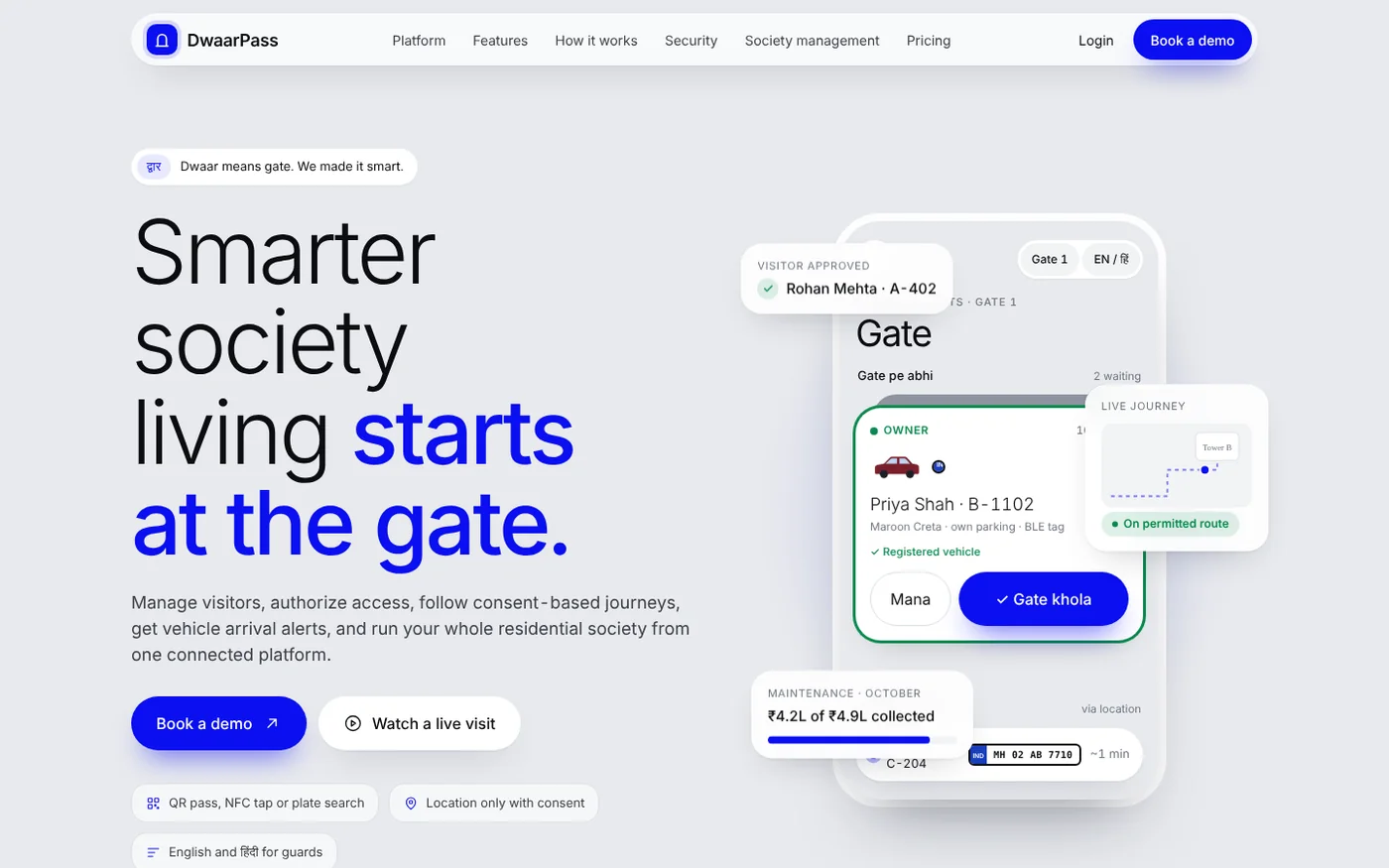
द्वार — Dwaar means gate. We made it smart.
Smarter societyliving startsat the gate.
Visitor access, consent-based journeys, vehicle arrival alerts and society management for Indian housing societies — in one connected platform.
The problem
Phone calls, register books
and three approvals.
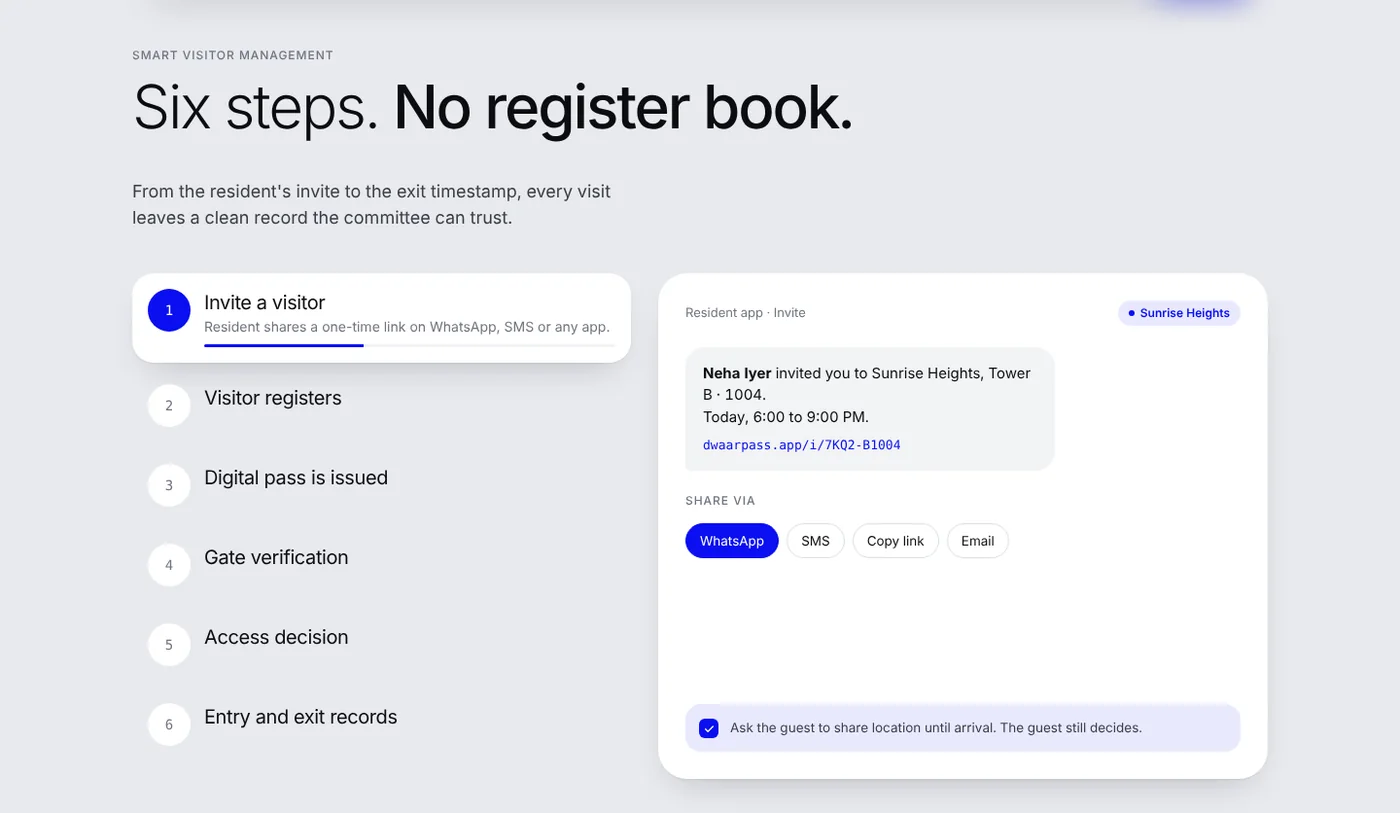
Society entry meant waiting at the gate while the guard called the flat, the resident called back and nobody trusted the register. We replaced it with one scan.
Invite a visitor
The resident shares a one-time link on WhatsApp, SMS or any app.
Visitor registers
Name, mobile, purpose, vehicle and flat. Location sharing is a separate, optional choice.
Digital pass is issued
A unique QR pass with the visitor's details, entry window and live status.
Gate verification
The guard scans the QR, or the visitor taps an NFC reader if the gate has one.
Access decision
One clear status on the guard's screen.
Entry and exit records
Timestamps, flat and the responsible resident, stored for the society.
Valid pass inside its window. Guard opens the gate.
Walk-in or early arrival. Resident gets Allow / Deny.
Resident declined, or the pass was revoked.
Entry window has passed. A new invite is needed.
Smart vehicle arrival
Your gate knows before you arrive.
Registered resident cars are recognised as they approach, and the guard sees who it is before the car stops.
Permission-based location
Know the journey.
Respect privacy.
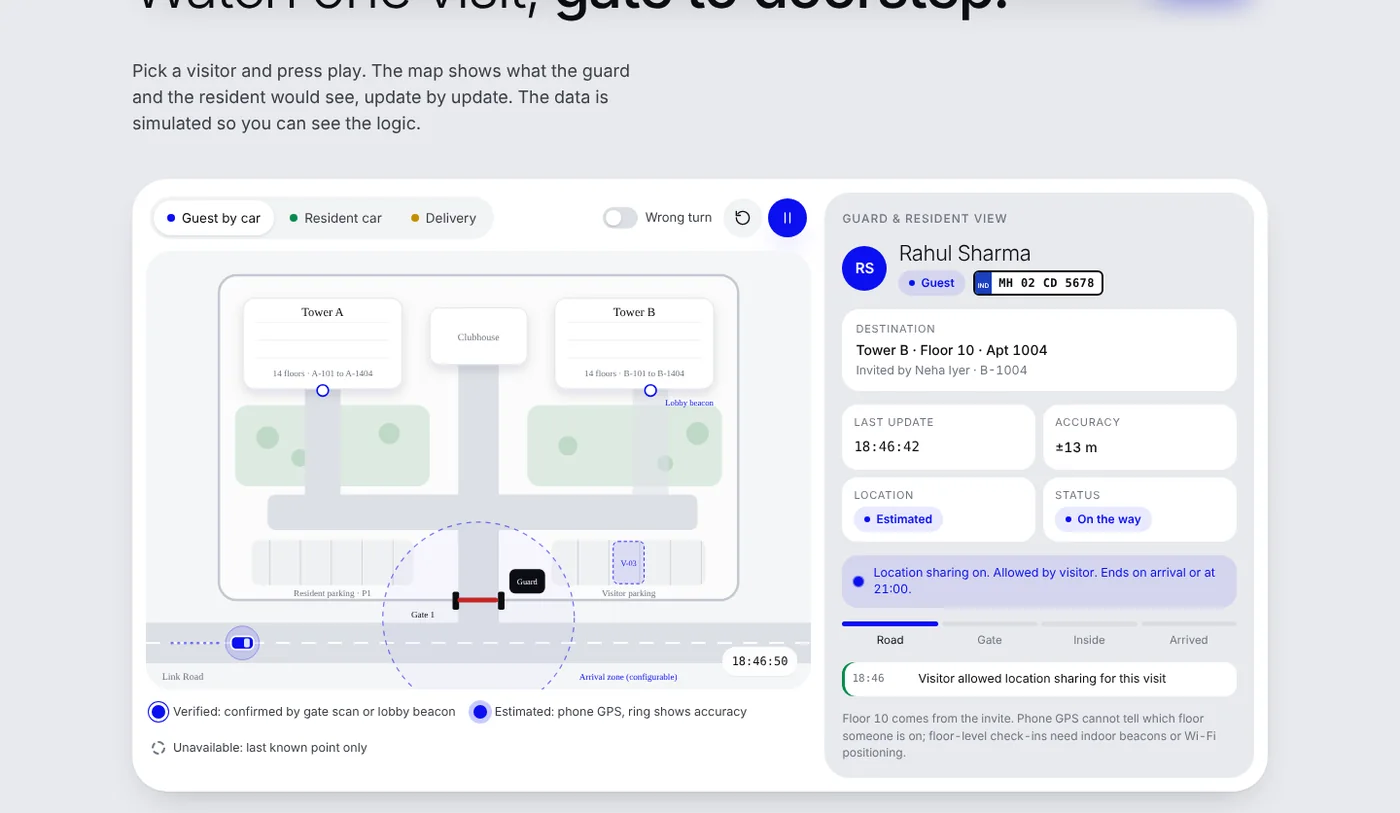
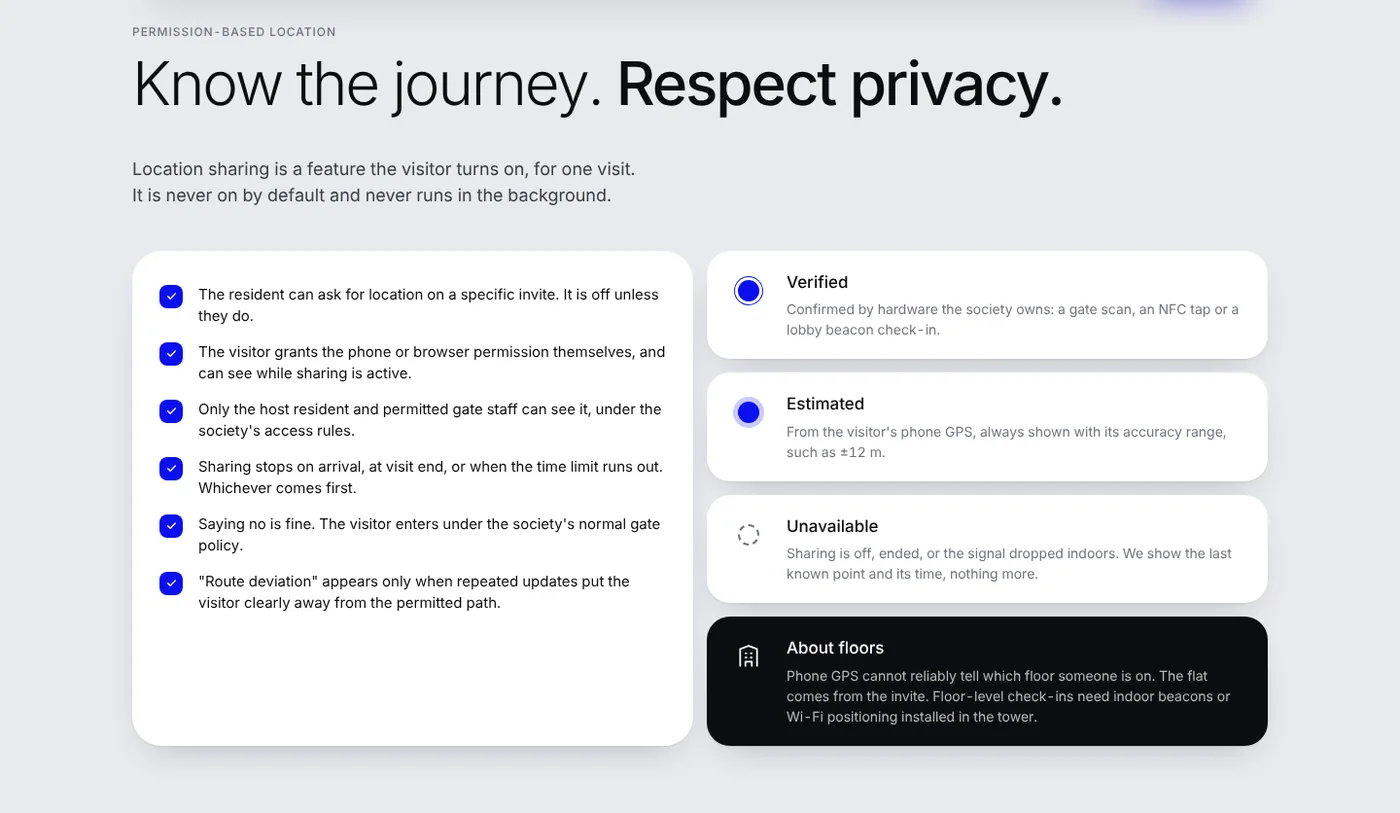
Location sharing is a feature the visitor turns on, for one visit. It is never on by default and never runs in the background.
Confirmed by hardware the society owns: a gate scan, an NFC tap or a lobby beacon check-in.
From the visitor's phone GPS, always shown with its accuracy range, such as ±12 m.
Sharing is off, ended or the signal dropped indoors. Only the last known point and its time.
Sharing stops on arrival, at visit end, or when the time limit runs out — whichever comes first. Saying no is fine: the visitor enters under the society's normal gate policy. Phone GPS can't reliably tell floors, so the flat comes from the invite.
Guard dashboard & resident app
One tap at the gate.
One tap at home.
Guards get big plates, big buttons and Hindi labels. Residents get an Allow button that times out on its own.
Everything after the gate, too.
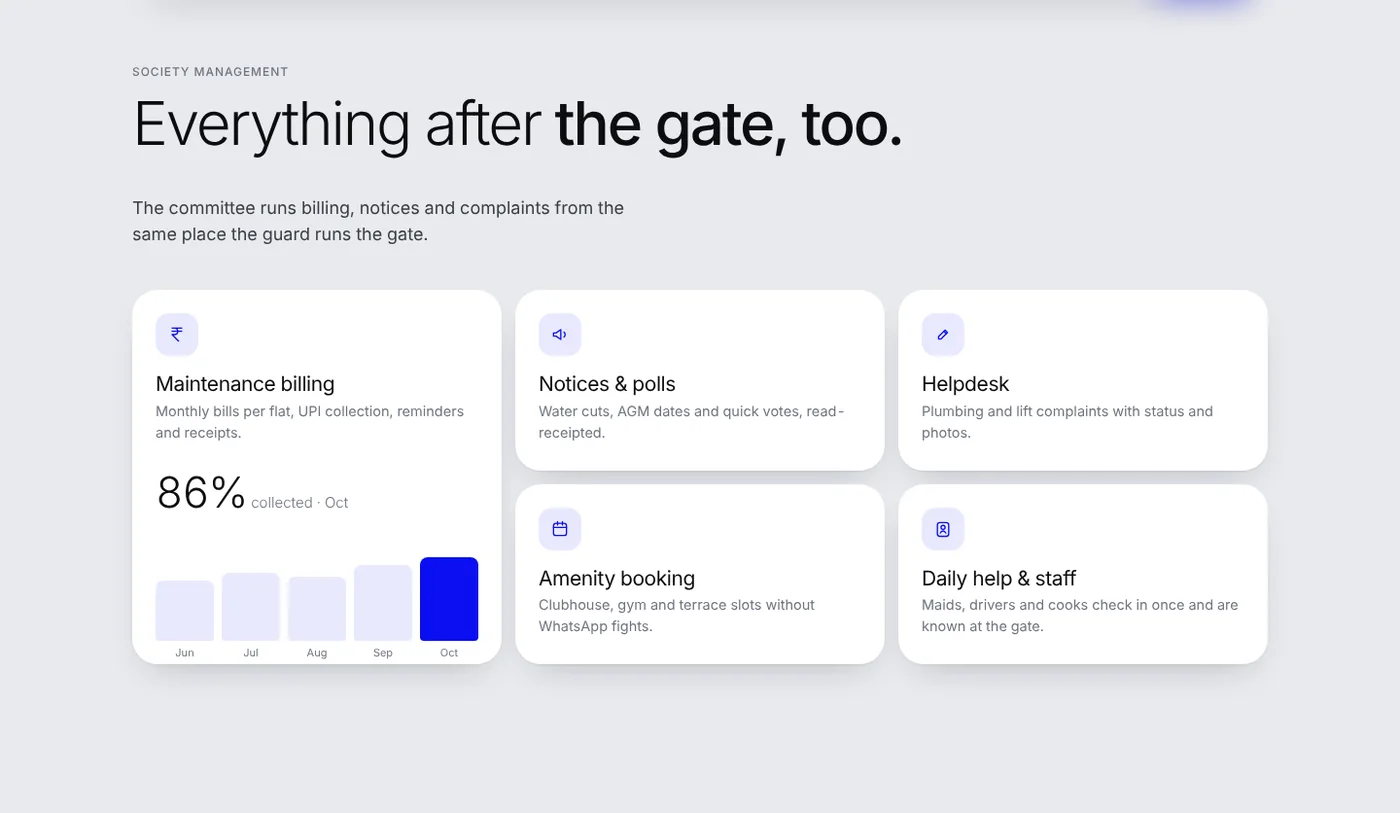
The committee runs billing, notices and complaints from the same place the guard runs the gate.
Maintenance & UPI
Monthly bills per flat, reminders and receipts.
Notices & polls
Water cuts, AGM dates and quick votes.
Complaints
Plumbing and lift issues with status and photos.
Bookings
Clubhouse, gym and terrace slots without WhatsApp fights.
Pricing
Priced per flat,
billed to the society.
No charge for guards or visitors. Gate hardware is quoted separately.
- Invites and QR passes
- Guard app in English and Hindi
- Entry and exit log
- Walk-in approvals
- Everything in Gate
- Consent-based live journeys
- Maintenance billing and UPI
- Notices, helpdesk, amenities
- Everything in Gate + Society
- NFC readers and lobby beacons
- Vehicle tags and barrier link
- Multi-gate and multi-society
FAQ
Questions societies ask.
Do guards need a smartphone?
An Android phone or tablet at the gate is enough. Hindi labels, large plates and one-tap actions are built for long shifts.
Is visitor location tracked all the time?
No. It is off unless the resident asks and the visitor agrees, and it stops on arrival or when the time limit ends.
Do we need NFC readers or beacons?
No. QR passes and plate search work with just the guard's phone. NFC, beacons, vehicle tags and barrier links are optional add-ons.
What happens if the internet goes down at the gate?
The guard app keeps today's expected visitors on the device and syncs entries when the connection returns.
Vancore →
Global markets, one command.